View Deleted Messages App
View Deleted Messages App - View missed messages via notification log.
Everything You Need to Protect Your Messages
Capture Messages Instantly
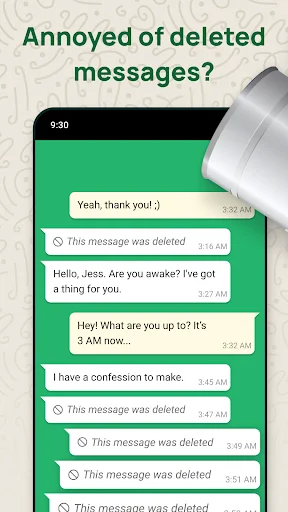
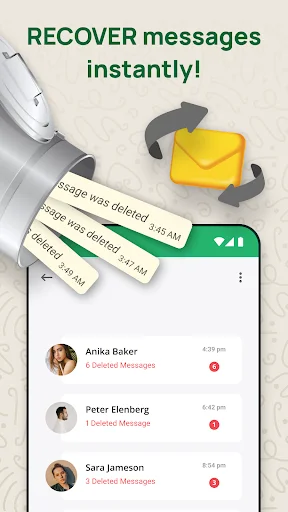
The app automatically logs text and content from incoming notifications. When someone deletes a message later, you still have the notification history saved on your device.
Complete Privacy Protection
All your message logs and backups stay stored locally on your phone. No cloud uploads, no servers, no sharing – you have full control over your private conversations.
Backup SMS Messages Easily
Create and restore backups of your SMS and MMS messages whenever you need them. Keep your important text conversations safe and accessible right from the app.
Save Photos and Media
When messages include photos, voice notes, or other media files, the app saves them from notifications so you can view them even after deletion.
About View Deleted Messages App
Important Functional Limitations
This utility does not perform system-level message recovery. It saves only content available through incoming Android notifications after installation, activation, and Notification Access approval.
If a chat is muted, notifications are disabled, previews are hidden, or you are viewing the conversation, Android may not generate an alert for the app to log. Messages deleted before installation cannot be retrieved.
Media can be saved only when a compatible file is included with the notification, fully downloaded, and accessible before the original message is removed. Media capture is not guaranteed.
With SMS Backup & Notification Log, you can review compatible notification content captured while the app was active and create local backups of supported SMS and MMS messages.
Notification-Based Message History
The app records compatible text displayed in incoming notifications. If a message is later removed, content logged beforehand may remain in the notification history. The app cannot access encrypted conversations, private databases, remote accounts, or protected system files.
Available Features
- Log compatible message text shown in notifications
- Keep notification history in one place
- Save supported media previews when accessible
- Create local SMS and MMS backups
- Restore compatible SMS and MMS backups
- Start a direct message without saving the number as a contact
- Manage local records and backup files
Review Content Captured From Notifications
Results depend on the source app, Android notification format, device settings, permissions, and whether the utility was active when the alert arrived. It cannot promise results for every message or application, retrieve content directly from another service, or recover cleared device storage.
Supported images, voice notes, stickers, and other media may be stored only when Android makes the file accessible through the incoming notification. Unavailable, incomplete, or unloaded files cannot be retrieved.
The SMS feature works separately. It creates local backups of compatible SMS and MMS messages already on your device. Android may require temporary selection as the Default SMS handler when restoring messages.
How Notification Logging Works
After you grant Notification Access, the app monitors new alerts. When an alert contains accessible text or supported media, it may create a local record. If the source message is removed later, the captured record may remain available.
The app may not capture content in the following cases
- If the chat is muted or open on screen
- If notifications are disabled
- If notification previews are hidden
- If the message was deleted before installation
- If media was not fully downloaded or accessible
- If Notification Access is revoked
- If battery or background restrictions stop the app
Privacy & Local Storage
Logged notifications and SMS backups are stored locally on your device. The app does not upload captured private chat content to developer-operated servers. You can delete local records and backups within the app.
Important Information
The app can display only information successfully captured after setup. It cannot undelete content from another app, retrieve historical conversations, or guarantee that every notification or media file will be saved.
Disclaimer
All product names, logos, brands, and trademarks belong to their respective owners.
Company, product, and service names are used only for identification and do not imply endorsement.
SMS Backup & Notification Log is an independent utility and is not affiliated, associated, authorized, endorsed by, or officially connected with any third-party messaging application, platform, or company.
See How Simple Message Protection Can Be
← Swipe to see more → ← Scroll to see more →
Loved by Over 1 Million Users
View deleted messages photo recovery app tool is a great and amazing app from the developer for the android users. This app really have some cool features and one of my favourite is to view deleted messages.
View deleted messages photo recovery app is a great and quite impressive app tool from the developer for the android users to view all the deleted messages from the whatsapp chat.
This is a great and useful app tool from the developer for the android users to easily view deleted messages and even does the photo deleted recovery. Amazing combo app.
View deleted messages from whatsapp is a very creative and innovative app that allows me to view deleted messages. Looks visually amazing and easy to use this app.
View deleted messages photo recovery app is great and amazing offline app tool from the developer for the android users. Great users interface. Amazing app
View Deleted Messages app is very beautiful. The process of transfer messages backup in Recover deleted messages is very quick and easy for everyone.