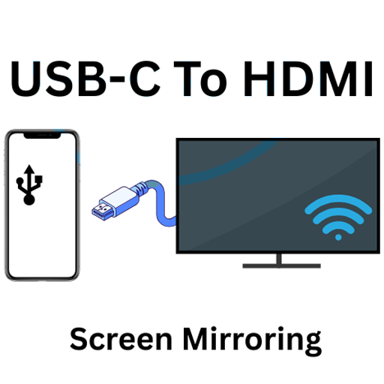
USB-C to HDMI Phone to TV
USB-C to HDMI Phone to TV - Check USB-C HDMI support & connect your phone to TV using HDMI adapters
Everything you need to connect your phone to any screen
Instant Compatibility Check
Know right away if your phone supports HDMI output through USB-C. Our checker scans your device and tells you exactly what connection options you have, so you never buy the wrong adapter again.
Step-by-Step Connection Guides
Get clear instructions for connecting your phone to any TV or monitor. Whether you're streaming movies, playing games, or giving presentations, we'll show you exactly how to set it up.
Smart Adapter Recommendations
Learn which USB-C adapters, cables, and hubs actually work with your device. We explain the differences between adapter types so you buy the right one the first time and save money.
Samsung DeX Support Help
Get specific guidance for Samsung DeX users on TV and monitor connections. Understand which HDMI adapters support both display and charging, perfect for desktop-style productivity on the big screen.
About USB-C to HDMI Phone to TV
USB-C to HDMI Compatibility Checker
Instantly check whether your Android phone supports:
- USB-C to HDMI
- Type-C to HDMI
- HDMI output via USB-C
- DisplayPort Alt Mode (DP Alt Mode)
This helps you avoid adapters that won't work with your phone.
Phone to TV Connection Guide
Step-by-step instructions to connect your phone to TV using:
- USB-C to HDMI adapter
- USB-C to HDMI cable
- USB-C hub with HDMI port
- Phone to TV HDMI connection
Perfect for watching videos, presentations, gaming, or using your phone on a big screen.
DisplayPort Alt Mode Explained
Learn what DisplayPort Alt Mode is and why it matters for:
- USB-C to HDMI adapters
- Wired screen mirroring
- HDMI output from Android phones
The app clearly explains whether your phone supports DP Alt Mode and HDMI display output.
Samsung DeX & External Display Support
If you own a Samsung phone, the app helps you understand:
- Samsung DeX HDMI support
- USB-C hub compatibility with DeX
- How to use Samsung DeX on TV or monitor
Samsung DeX users often need HDMI adapters that support both display and power delivery, and this app explains what to look for.
USB-C Hub & Adapter Guidance
Not all adapters are equal. The app helps you understand the difference between:
- USB-C to HDMI adapters
- USB-C hubs with HDMI
- Multi-port USB-C docks
- Phone to TV HDMI cables
This is especially useful before buying accessories online or in stores.
Common Use Cases
- Check if phone supports USB-C to HDMI
- Connect Android phone to TV with HDMI cable
- Use phone on TV for movies and streaming
- Play games on TV using phone HDMI output
- Give presentations from phone to monitor
- Set up Samsung DeX using HDMI
- Verify HDMI support before buying adapters
Important Information
- Not all Android phones support HDMI output via USB-C
- USB-C does NOT always mean HDMI support
- HDMI requires DisplayPort Alt Mode
- OTG support alone is NOT enough for HDMI
- This app checks compatibility and explains supported options
If your phone does not support HDMI, the app explains alternative display methods and what to expect.
See how easy it is to check and connect
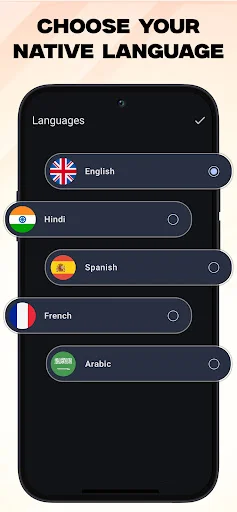
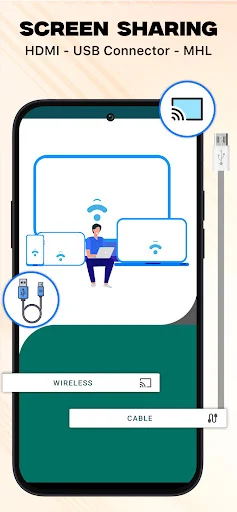
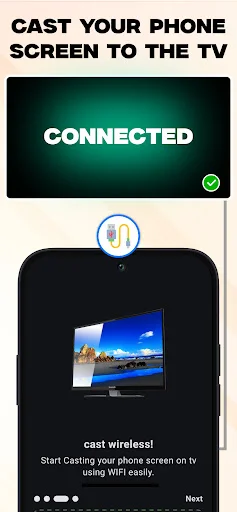

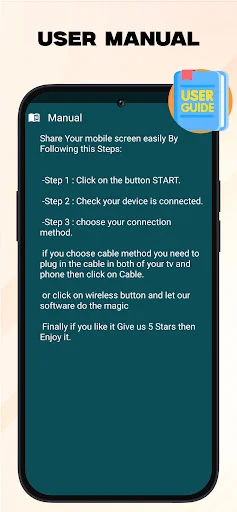
← Swipe to see more → ← Scroll to see more →
Trusted by over 1 million users worldwide
USB- C to HDMI Cast Phone to TV as a good app and this app very useful for us.If you have been working to connect your phone to your Tv or monitor using USB type -c connection this app is your perfect solution with USB - c to HDMI screen mirroring and enjoy content on a big screen . it's really good app HDMI //
USB -C to HDMI cast photo is wonderful app try to donwload this app and enjoy your day is amazing to data recovery in your pc or laptop through this app. I can quickly connect my phone to the TV and start enjoying my content on the big screen. I really appreciate this app. Highly recommend //
This app is great some people misunderstood🤔 that you need an app to connect to a TV. This app checks🧐 if your device support HDMI out. Which is great i checked if my Lenovo tablet to see if it support HDMI. It does which makes me happy 😁
USB c to hdmi is a very wonderful app. I am surprised by the features and technology. I am very happy to have this masterpiece in my mobile. highly recommended. //
A fast and useful way to confirm device compatibility, prior to possibly wasting a whole bunch of time for nothing!
It detects the HDMI connection quickly and provides excellent resolution. Great for presentations too🏏